Plastic Part Finishing
How to Polish Acrylic Parts Without Haze, Scratches, or Edge Burn
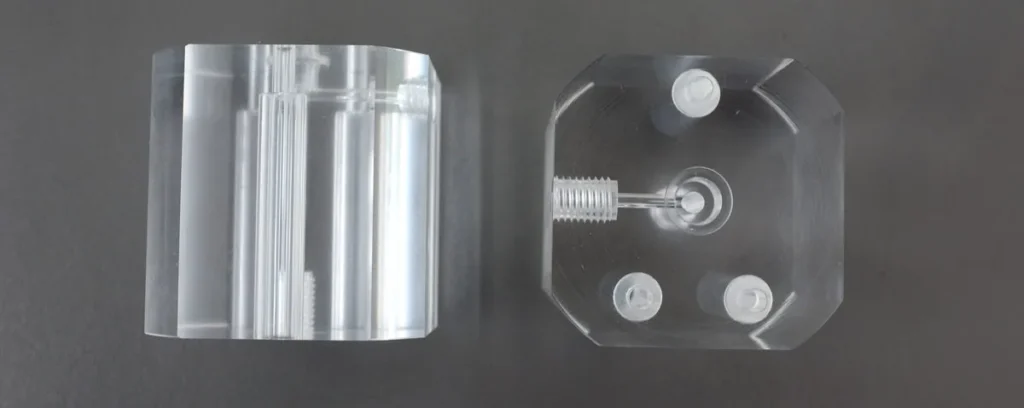
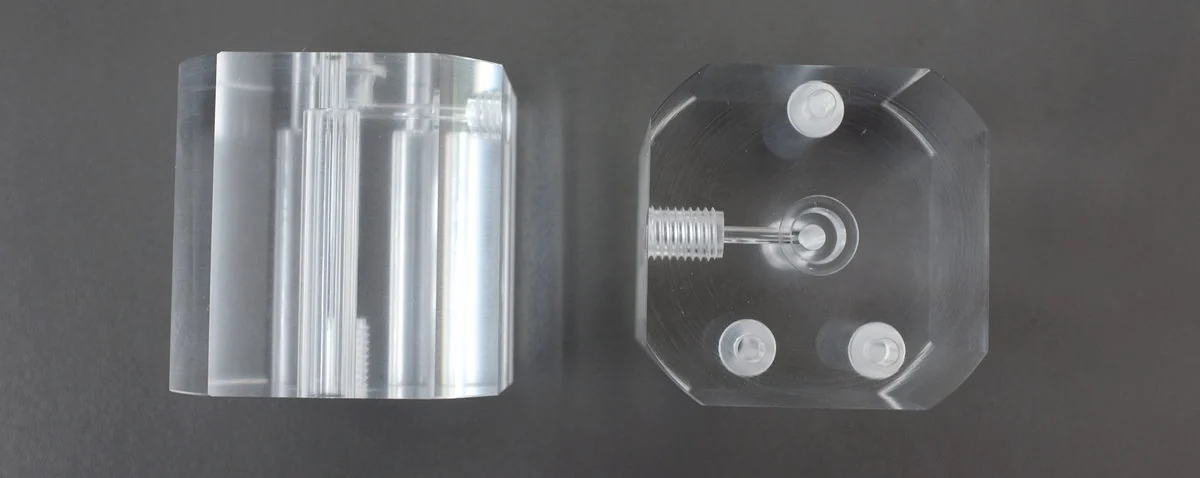
Transparent acrylic parts are unforgiving. A small burr, a light sanding mark, or a little heat at the edge can turn into visible haze once the part is assembled under light. For machined acrylic blocks, optical covers, display parts, and transparent plastic components, the goal is not just to make the part shiny. The process must keep edges clean, preserve clarity, and avoid internal stress or cloudy surfaces.
If your acrylic parts still look cloudy after polishing, the issue is often not the final polishing step alone. It may come from cutter marks, overly aggressive media, dry friction heat, dirty compound, poor separation, or stacking damage after finishing. A controlled surface finishing process should treat acrylic as a soft, heat-sensitive visual material, not as a normal metal part.
The Real Problem: Clear Parts Show Every Process Mistake
Metal parts can often tolerate a slightly aggressive deburring cycle because later polishing or plating may hide small marks. Acrylic is different. The material is transparent, relatively soft, and sensitive to heat. If the process creates micro-scratches or edge stress, the defect may become more visible after cleaning, drying, or customer assembly.
- Surface haze: the part looks frosted instead of clear, especially on flat faces.
- Fine circular scratches: the part reflects light but shows swirl marks under inspection.
- White edges: corners or machined edges become milky after finishing.
- Rounded functional details: small steps, holes, or threads lose definition after too much time in the machine.
Start by Separating Three Different Jobs
1. Tool Mark Reduction
If CNC cutter lines are deep, choose a controlled pre-smoothing stage. Do not jump directly to a bright polishing step and expect it to remove every line.
2. Clarity Polishing
For the final surface, use fine media or dry finishing material that can improve gloss without cutting new scratches into the acrylic.
3. Edge Protection
Reduce part-on-part impact by controlling batch size, media-to-part ratio, and unloading method.
4. Cleaning and Inspection
Residue can look like haze. Clean parts gently and inspect under both top light and side light before judging the process.
Diagnostic Table for Acrylic Polishing Defects
| Symptom | Likely Cause | What to Check | Recommended Adjustment |
|---|---|---|---|
| Flat surface remains cloudy after polishing | Tool marks are too deep, media is too coarse, or polishing time is not matched to the previous step | Inspect an unfinished part under side light and compare cutter line depth before and after finishing | Add a controlled pre-smoothing stage, then use finer media for the final gloss stage |
| Fine swirl marks appear after drying | Media or dry polishing material is contaminated with hard particles | Check whether the machine bowl, media, separator, and storage bin contain metal chips or coarse abrasive dust | Clean the machine, separate acrylic media from metal media, and refresh compound or dry finishing material |
| Edges turn white or look stressed | Excessive friction heat, aggressive media shape, or too much cycle time | Check edge temperature, cycle length, and whether sharp media corners are striking the same area repeatedly | Shorten the cycle, reduce amplitude or speed, and test softer plastic or dry finishing media |
| Small holes or details become rounded | Over-processing or media too large for delicate features | Measure critical dimensions before and after each test cycle | Use shorter test increments and choose media that contacts the surface without wedging into details |
Wet or Dry Finishing: Which Is Safer for Acrylic?
Wet processing helps control heat and flush away debris. It can be useful when acrylic parts have machining dust, light burrs, or residue from previous operations. The risk is that water quality, dirty compound, or poor drying may leave marks that look like haze. If wet finishing is used, match it with suitable finishing compounds, clean water, and gentle drying.
Dry finishing can improve gloss on visual plastic parts when the abrasive load is mild and the media is clean. It is often useful for final appearance work, but it can also create heat if the cycle runs too long or the machine is overloaded.
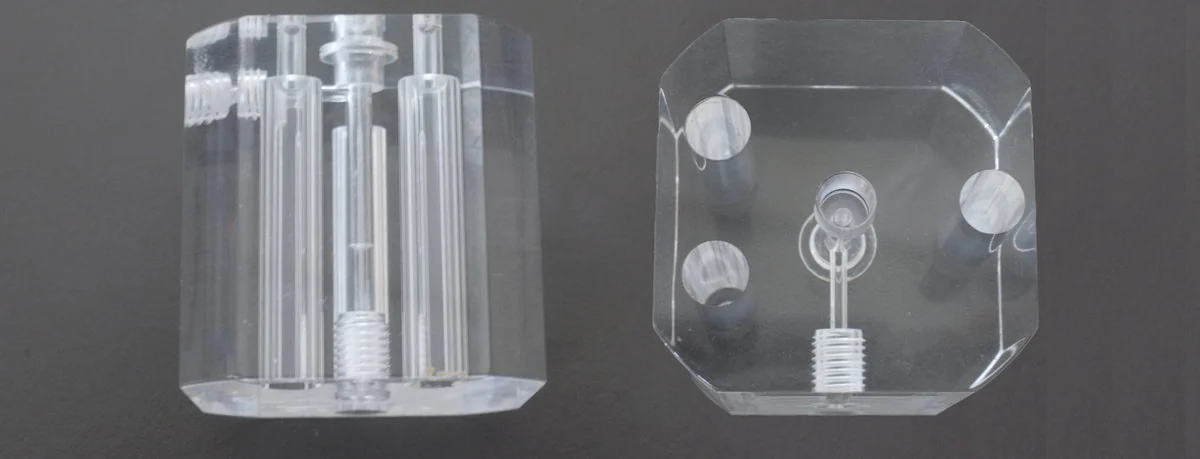
Before polishing, check cutter marks, edge whiteness, and internal details. Deep marks need controlled smoothing before final gloss polishing.
Media Selection for Acrylic Parts
- For light burrs and soft edge blending: test fine plastic media or mild finishing media before considering anything more aggressive.
- For final gloss improvement: test clean dry finishing material or very fine polishing media that will not introduce new scratch patterns.
- For holes, slots, and narrow grooves: avoid media shapes that can lodge inside features or hammer against transparent walls.
- For large flat faces: reduce part-on-part contact and keep the media bed full enough to cushion the parts.
For small acrylic parts, a vibratory finishing machine can be suitable when the process force is controlled. For more delicate parts, a slower rotary barrel tumbling machine may reduce impact. If the goal is a dry final gloss stage, review suitable dry finishing media and test in small batches first.
Need to confirm a process before batch production? Send Jintaijin your acrylic part photos, material grade if known, dimensions, current surface condition, and target clarity. We can help review whether your problem is caused by machining marks, media selection, machine force, compound, or handling after polishing.
Contact our finishing team with your acrylic polishing requirement
Common Mistakes That Make Acrylic Parts Worse
- Using metal deburring logic on acrylic. Acrylic needs lower force and cleaner media than many metal parts.
- Only extending cycle time. Longer time can increase haze, heat, and edge rounding if the media is wrong.
- Ignoring the CNC surface. Deep cutter marks should be corrected before the final polishing stage.
- Mixing media between materials. Metal chips and abrasive dust can scratch transparent plastic.
- Judging the part while it is still wet. Water film can hide fine scratches and residue until the part dries.
- Dumping polished parts into hard containers. Many acrylic scratches happen after the machine cycle, during unloading and inspection.

After polishing, inspect both surface gloss and internal visual clarity. A good acrylic process should improve appearance without softening functional geometry.
Frequently asked questions
Why does acrylic go hazy instead of clear when polished?
Haze on acrylic is usually fine scratching or heat damage at a scale you cannot see individually. Acrylic is soft and transparent, so a scratch that would be invisible on an opaque part scatters light and reads as haze. Polishing that adds heat can also soften the surface and produce a permanent cloudiness rather than a clear finish.
What causes edge burn on acrylic?
Too much heat at too small a contact area. Acrylic softens well below the temperatures that metal finishing tolerates, so an edge worked with pressure or speed that would be normal for metal melts slightly and re-solidifies cloudy. Edge burn is a heat problem, not an abrasive problem.
Can scratched acrylic be polished back to full clarity?
Up to the depth of the marks. Removing a scratch means removing the material down to its depth, and on a transparent part any remaining scratch still scatters light. Deep gouges may not come out without changing the part geometry. Surface scuffs and sanding marks are normally recoverable in a controlled sequence.
Does acrylic need a different process from other plastics?
Yes, because it is both softer and transparent. A process that leaves an acceptable matte finish on an opaque plastic can leave visible haze on acrylic, and the transparency means every remaining scratch is visible. Acrylic needs a gentler sequence and a clearer acceptance criterion.
Why do sanding marks reappear after polishing acrylic?
Because the earlier stage was not taken far enough. A polishing stage removes material uniformly; it does not selectively remove deeper marks. If the sanding sequence stopped at too coarse a grit, the polishing stage reveals those marks rather than removing them. The fix is in the earlier stage.
What should be checked on the first acrylic parts out of a cycle?
Clarity under raking light, edge condition, and whether any heat-related cloudiness is present. Acrylic defects are easiest to see with light at a low angle rather than straight on. Check the edges separately, because edge burn and surface haze have different causes.
Final Recommendation
Acrylic polishing should be built as a staged process: reduce machining marks first, polish for clarity second, and protect the part during unloading third. The right equipment may be a vibratory finisher, barrel tumbler, or dry finishing setup, but the process should always be tested with real sample parts before batch production.
Send us your acrylic part details for process advice. Include part photos, size, wall thickness, holes or slots, current defect photos, target finish, and expected batch quantity. Jintaijin can help recommend a suitable finishing machine, media, compound, and sample test direction for your acrylic polishing application.
 +86-592-2381506

 IPv6 network supported